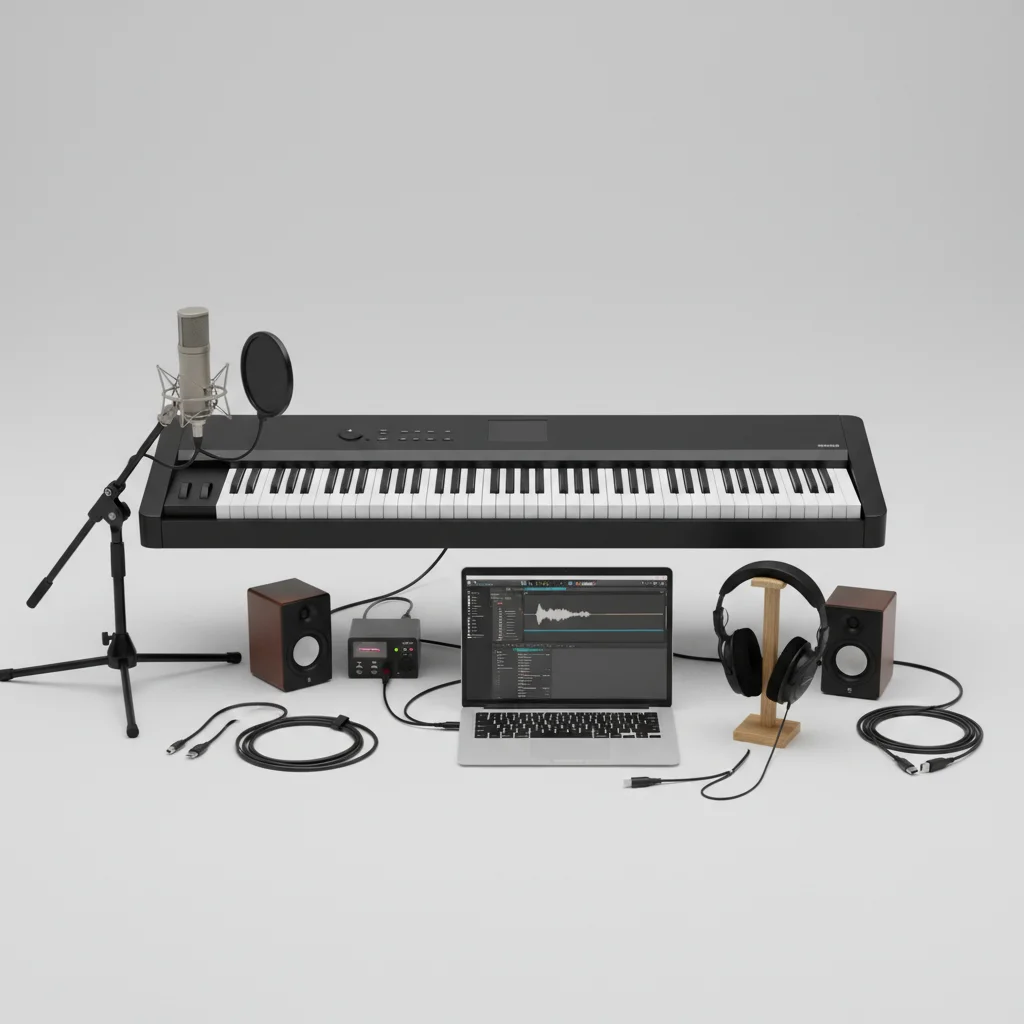
Capturing the sound of your digital piano offers several methods, each with distinct advantages for different needs. There are typically five primary ways to record your digital piano, ranging from simple direct connections to more advanced multi-track setups. Understanding these options will help you choose the best approach for practicing, sharing, or producing music.
Direct USB Connection to a Computer
Many modern digital pianos feature a USB-to-Host port, allowing a direct digital connection to a computer. This method is often the simplest for recording MIDI data or even audio, depending on the piano’s capabilities. When connected via USB, your digital piano acts as a MIDI controller, sending performance data (note on/off, velocity, pedal presses) to a Digital Audio Workstation (DAW) like GarageBand, Ableton Live, or Logic Pro. Some pianos can also transmit audio directly over USB, providing a clean, high-quality signal without the need for an external audio interface. This setup is ideal for home recording enthusiasts and those looking to integrate their piano performances into software-based music production.
Using an Audio Interface for Analog Recording
For digital pianos without direct USB audio capabilities, or for those seeking more control over their audio signal, an external audio interface is the solution. This involves connecting the piano’s line-out jacks (usually 1/4-inch or RCA) to the inputs of an audio interface, which then connects to your computer via USB or Thunderbolt. The audio interface converts the analog signal from your piano into a digital signal that your DAW can record. This method often yields higher fidelity audio and allows for the use of professional-grade microphones if you ever wish to record acoustic instruments alongside your digital piano. It’s a versatile setup favored by musicians who prioritize sound quality and flexibility in their recording workflow.
Recording to a Dedicated Digital Recorder
|
Our Picks for the Best Digital Piano in 2026
As an Amazon Associate I earn from qualifying purchases.
|
||
| Num | Product | Action |
|---|---|---|
| 1 | STRICH 88 Key Digital Piano Foldable Full Size Electric Keyboard with Semi-Weighted Sensitive Keys, Portable Electric Piano Set for Beginner, Bundle with Sustain Pedal, Headphones, Music Rest, SEP-88F |

|
| 2 | Alesis Melody 61 MK4 Keyboard Piano for Beginners with 61 Keys, Speakers, Stand, Bench, Headphones, Tablet/Sheet Music Stand, 300 Sounds and Music Lessons |
|
| 3 | Yamaha P225 88-Key Digital Piano with Weighted Keys, Portable Design, Keyboard, Music Rest, Sustain Foot Switch, and Built-In Speakers, Black (P225B) |
|
| 4 | 61 keys keyboard piano, Electronic Digital Piano with Built-In Speaker Microphone, Sheet Stand and Power Supply, Portable piano Keyboard Gift Teaching for Beginners |
|
| 5 | RockJam RJ761 61 Key Keyboard Piano with Keyboard Bench, Digital Piano Stool, Sustain Pedal, Headphones & Lessons |
|
| 6 | Yamaha 88-Key Weighted Portable Digital Piano Keyboard with Music Rest, Sustain Foot Switch, Built-in Speakers, USB Connectivity, Black (P45B) |
|
| 7 | Rhymo Folding Piano Keyboard, 61 Keys Sensitive Electric Piano, Weighted Portable Electric Keyboards with Bluetooth MIDI, Digital Foldable Keyboard for Beginner (Black) |
|
| 8 | Yamaha 88-Key Digital Piano with Weighted Keys, Compact Design, Bluetooth, Keyboard, Music Rest, Sustain Foot Switch, and Built-in Speakers for Home Practice or Travel P145BT |
|
| 9 | Roland FP-10 | Compact 88-Note Digital Piano | SuperNATURAL Piano Tones | Authentic Acoustic Feel Keyboard | Great for Beginners & Experienced Players | Bluetooth & MIDI Connectivity |
|
| 10 | Portable Piano Keyboard, Semi-Weighted Folding Digital Piano 88 Key, Full Size, Wood Grain, Electric Piano Keyboard w/MIDI Bluetooth, Suitable for Adult, Toddler |
|
Portable digital recorders offer a convenient, computer-free way to capture your digital piano’s sound. These devices, ranging from handheld units to multi-track recorders, typically connect to your piano’s line-out jacks. They record audio directly to an SD card or internal storage, making them excellent for quick practice session recordings, live performances, or when a computer isn’t readily available. Many digital recorders also offer built-in microphones, though for optimal piano sound, connecting directly from the piano’s output is recommended. This method is particularly useful for musicians who need a simple, reliable way to document their playing without the complexities of a full DAW setup.
- Connect line-out from piano to recorder’s input.
- Set appropriate recording levels to avoid clipping.
- Choose desired file format (WAV for quality, MP3 for smaller size).
- Monitor sound with headphones connected to the recorder.
- Transfer files to computer for editing or sharing.
Utilizing the Piano’s Built-in Recorder
Many digital pianos come equipped with an internal recording function, allowing you to capture your performances directly on the instrument itself. These built-in recorders vary in sophistication; some only record MIDI data, which can then be played back through the piano’s internal sounds, while others can record actual audio. The recorded data is often saved to internal memory or a USB flash drive. This feature is perfect for reviewing your playing, practicing difficult passages, or creating simple demos without any external equipment. While typically not as feature-rich as a DAW, it provides an immediate and accessible way to record your music.
For those looking for a high-quality digital piano with excellent recording capabilities, consider the. It offers robust USB audio connectivity and a user-friendly interface for seamless integration into your recording setup.
Mobile Device Recording via Audio Interface or Adapters
With the increasing power of smartphones and tablets, recording your digital piano directly to a mobile device is now a viable option. This usually requires a compatible audio interface designed for mobile use, or specific adapters that allow you to connect your piano’s line-out to your device’s input. Many mobile DAWs and recording apps offer intuitive interfaces for capturing, editing, and mixing audio on the go. This method is incredibly convenient for musicians who travel frequently or prefer a minimalist recording setup, allowing for quick captures of musical ideas whenever inspiration strikes.
To enhance your mobile recording experience, theis an excellent accessory, providing clear audio input and broad compatibility with various devices and apps.
Get our weekly buyer guide
Practical specs, not advice. Unsubscribe anytime.

I tried the audio interface method with my older digital piano, and while it works, I found the setup a bit more complicated than I hoped. Getting the levels just right and dealing with potential latency was a bit of a headache. It’s good for quality, but I wish there was a simpler way for those of us without USB audio capabilities on our instruments.
I’m just starting out with recording, and the breakdown of MIDI data versus audio was super helpful. I didn’t realize my digital piano could act as a MIDI controller, sending performance data to a DAW. Now I can experiment with different virtual instruments in Logic Pro, which has really opened up new creative possibilities for my music.
The idea of using a portable digital recorder really appealed to me for quick ideas. I picked up a Zoom H1n based on a similar recommendation, and it’s fantastic for capturing spontaneous melodies without having to boot up my computer. It’s not studio quality, but for songwriting and remembering riffs, it’s perfect and super convenient.
I’ve been trying to figure out the best way to record my practice sessions for ages. The direct USB connection to a computer method mentioned here was a game-changer for me. It’s so much simpler than I thought to get my playing into GarageBand, and the sound quality is surprisingly good for just practicing. Definitely recommend trying that first if your piano supports it!