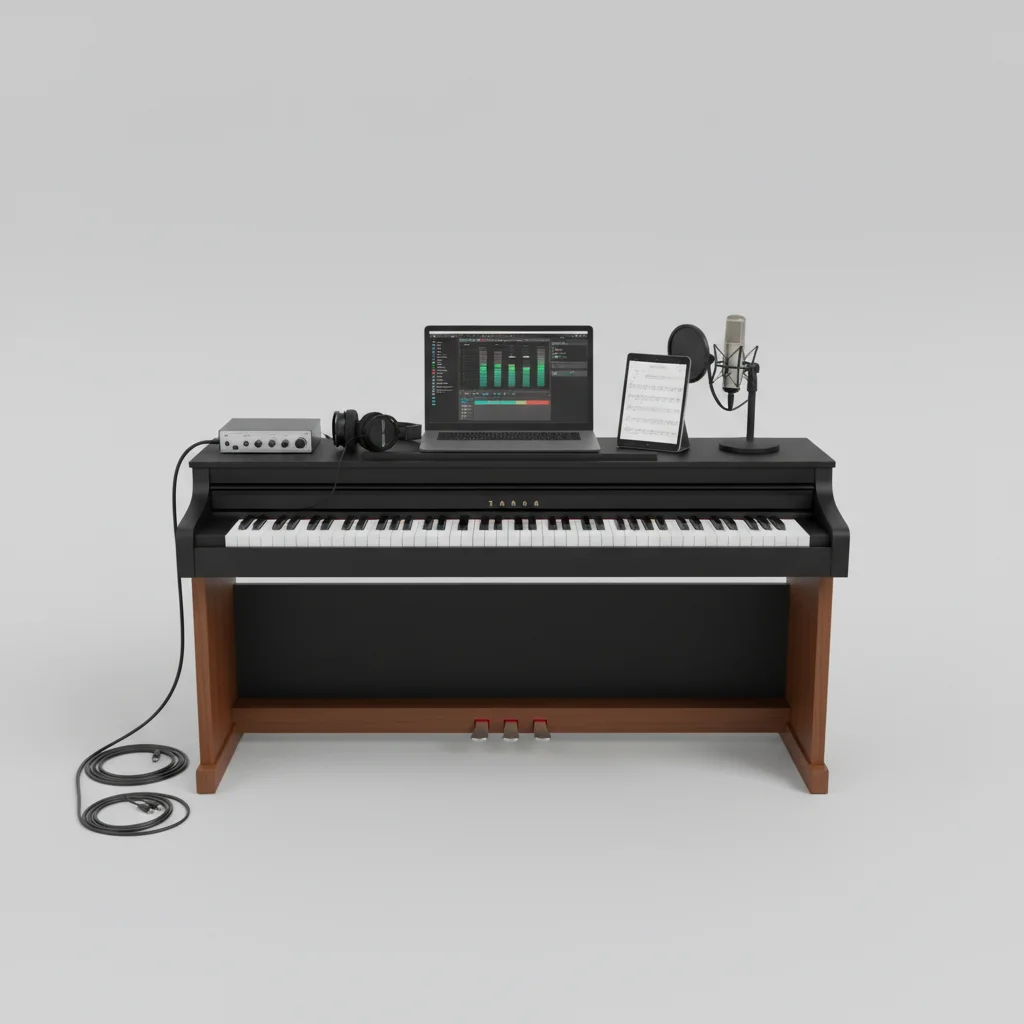
Capturing your digital piano performance can be achieved through several methods, each offering distinct advantages for different needs. The most common and effective ways include direct USB connection to a computer, using an audio interface, or utilizing the piano’s built-in recording features. Understanding these options will help you choose the best approach for preserving your musical creations.
Direct USB Connection for MIDI Data
Many modern digital pianos come equipped with a USB-to-Host port, allowing for a direct connection to a computer. This method primarily transmits MIDI (Musical Instrument Digital Interface) data, not actual audio. MIDI data records the notes played, their velocity, duration, and other performance nuances. This is incredibly useful for editing, quantizing, and assigning different virtual instruments to your performance within a Digital Audio Workstation (DAW) like GarageBand, Ableton Live, or Logic Pro X. You’ll need a USB A-to-B cable (printer cable type) and a DAW on your computer to get started. Once connected, your digital piano will appear as a MIDI input device in your DAW, ready to record.
Using an Audio Interface for High-Quality Sound
For capturing the actual audio output of your digital piano, an audio interface is the preferred method. This device converts the analog audio signal from your piano into a digital signal that your computer can understand and record. Most digital pianos have line-out jacks (often 1/4-inch stereo outputs) that connect to the inputs of the audio interface. The interface then connects to your computer via USB or Thunderbolt. This setup provides a much higher quality audio recording compared to simply using a computer’s built-in sound card, minimizing noise and preserving the full dynamic range of your instrument. Popular audio interfaces include models from Focusrite, PreSonus, and Universal Audio.
Built-in Recording Features: Convenience on the Go
|
Our Picks for the Best Digital Piano in 2026
As an Amazon Associate I earn from qualifying purchases.
|
||
| Num | Product | Action |
|---|---|---|
| 1 | STRICH 88 Key Digital Piano Foldable Full Size Electric Keyboard with Semi-Weighted Sensitive Keys, Portable Electric Piano Set for Beginner, Bundle with Sustain Pedal, Headphones, Music Rest, SEP-88F |

|
| 2 | RockJam RJ761 61 Key Keyboard Piano with Keyboard Bench, Digital Piano Stool, Sustain Pedal, Headphones & Lessons |
|
| 3 | Yamaha 88-Key Digital Piano with Weighted Keys, Compact Design, Bluetooth, Keyboard, Music Rest, Sustain Foot Switch, and Built-in Speakers for Home Practice or Travel P145BT |
|
| 4 | Alesis Melody 61 MK4 Keyboard Piano for Beginners with 61 Keys, Speakers, Stand, Bench, Headphones, Tablet/Sheet Music Stand, 300 Sounds and Music Lessons |
|
| 5 | Yamaha P225 88-Key Digital Piano with Weighted Keys, Portable Design, Keyboard, Music Rest, Sustain Foot Switch, and Built-In Speakers, Black (P225B) |
|
| 6 | Rhymo Folding Piano Keyboard, 61 Keys Sensitive Electric Piano, Weighted Portable Electric Keyboards with Bluetooth MIDI, Digital Foldable Keyboard for Beginner (Black) |
|
| 7 | 61 keys keyboard piano, Electronic Digital Piano with Built-In Speaker Microphone, Sheet Stand and Power Supply, Portable piano Keyboard Gift Teaching for Beginners |
|
| 8 | Roland FP-10 | Compact 88-Note Digital Piano | SuperNATURAL Piano Tones | Authentic Acoustic Feel Keyboard | Great for Beginners & Experienced Players | Bluetooth & MIDI Connectivity |
|
| 9 | Yamaha 88-Key Weighted Portable Digital Piano Keyboard with Music Rest, Sustain Foot Switch, Built-in Speakers, USB Connectivity, Black (P45B) |
|
| 10 | Portable Piano Keyboard, Semi-Weighted Folding Digital Piano 88 Key, Full Size, Wood Grain, Electric Piano Keyboard w/MIDI Bluetooth, Suitable for Adult, Toddler |
|
Many digital pianos offer built-in recording capabilities, providing a convenient way to capture ideas or practice sessions without needing external equipment. These features vary by model but typically include a simple one-track or multi-track recorder. Some pianos allow you to save your recordings directly to a USB flash drive as WAV or MIDI files, which can then be transferred to a computer for further editing or sharing. While these built-in recorders might not offer the same level of flexibility or audio quality as a dedicated DAW and audio interface setup, they are excellent for quick captures and immediate playback. Consult your piano’s manual to understand its specific recording functions.
Optimizing Your Recording Setup
Regardless of the method you choose, a few best practices can significantly improve your recording quality. Ensure your digital piano’s volume is set appropriately to avoid clipping (distortion) when recording audio. If using an audio interface, monitor your levels carefully. For MIDI recording, make sure your DAW’s tempo and quantization settings are suitable for your playing style. Experiment with different microphone placements if you’re recording the piano’s speakers (though direct line-out is generally preferred for digital pianos). Always save your work frequently to prevent data loss.
Essential Gear for Digital Piano Recording
- USB A-to-B Cable (for MIDI)
- Audio Interface (e.g., Focusrite Scarlett 2i2)
- TRS or TS 1/4-inch Cables (for audio interface connection)
- Digital Audio Workstation (DAW) software
- USB Flash Drive (for built-in recording transfer)
Get our weekly buyer guide
Practical specs, not advice. Unsubscribe anytime.

I tried using my piano’s built-in recording features, and while it’s convenient for quick ideas, the quality isn’t always what I’m looking for. It’s fine for just remembering a melody, but for anything I want to share, I find myself wishing for more control over the sound. It’s a good starting point, but I’ll probably invest in an audio interface soon.
This was super helpful! I always thought recording meant buying a bunch of expensive gear, but learning about the different options, especially the MIDI data capture, opened my eyes. I’m just starting out with recording my compositions, and knowing I can edit and quantize my performances later is a huge relief. My old digital piano actually has a USB-to-Host port, so I’m set!
Using an audio interface was the solution I needed for getting high-quality audio recordings. My piano has some great built-in sounds, and I wanted to capture those directly without converting to MIDI first. The setup was a little more involved than I expected, but the sound clarity is fantastic. It’s definitely worth the extra effort for serious recording.
I’ve been trying to figure out the best way to record my practice sessions for ages, and the direct USB connection method mentioned here is a game-changer. I didn’t realize I could just plug my piano straight into my laptop and capture all the MIDI data. It makes editing so much easier in my DAW, and I can even experiment with different instrument sounds after the fact. Highly recommend trying this if you haven’t!